Getting Started
Introduction
Welcome to Storydough! Storydough is an AI-powered product management platform that transforms product managers into strategic context architects.
It helps you create living PRDs that preserve the 'what, why, and how' of every product decision. With features like AI-powered document analysis, real-time conflict detection, change tracking, and TARS AI assistant, Storydough eliminates context drift and miscommunication, ensuring your team always builds what everyone meant to build.
Creating a Project
When you first sign up and don't have any existing projects, you'll be automatically redirected to the project creation chat. This AI-powered agent will guide you through the process, helping you gather all the necessary information and ensuring you create a well-structured project from the start.
If you already have existing projects, you can still create new ones anytime by clicking the 'Create Project' button, which will take you to the same guided chat experience.
Adding Context to Your Project
There are different ways to add context to your project. You can connect external integrations like Jira, Notion, Confluence, and more to automatically sync your existing documentation and requirements.
Alternatively, you can manually upload documents directly to your project. Both methods help ensure your PRD has all the context it needs to stay accurate and comprehensive.
Document Context Processing
When you upload a document, Storydough triggers a background process to analyze the file. This AI-powered analysis extracts relevant information, identifies key concepts, and adds it to your project context.
The processing happens automatically in the background, so you can continue working while your documents are being analyzed. Once complete, the extracted context becomes available to enhance your PRD and inform the TARS AI assistant.

Integrations
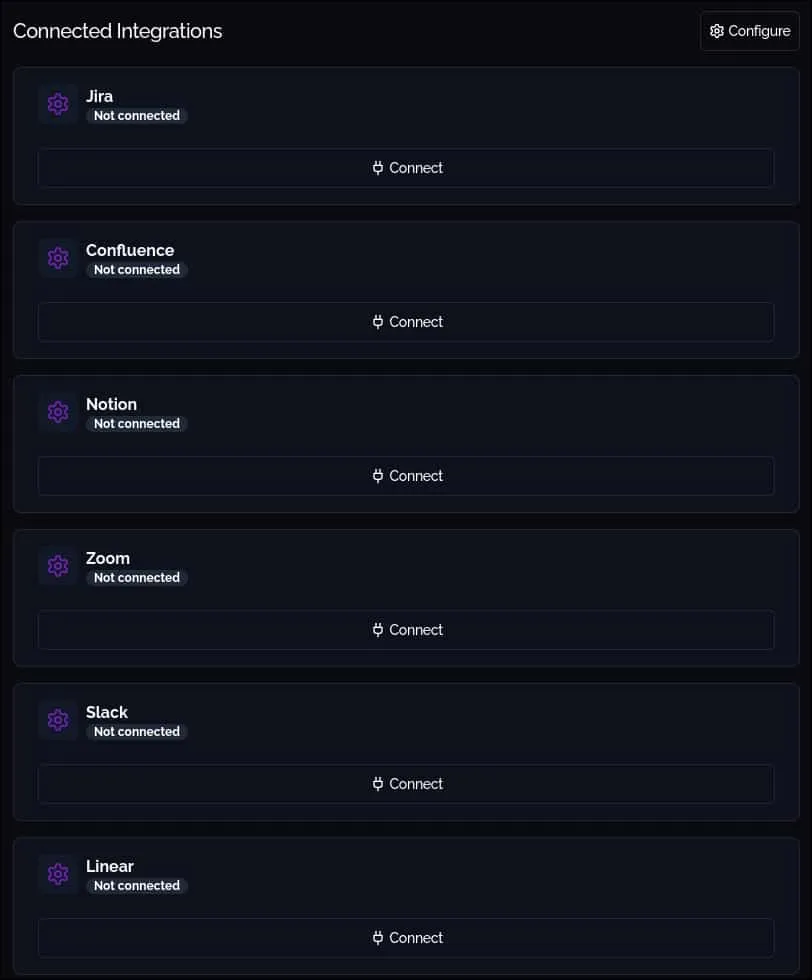
Storydough integrates with popular tools like Jira, Notion, Confluence, and more using OAuth authorization. Simply connect your account through a secure authorization flow to grant Storydough access to your data.
Once you set up an integration, Storydough automatically triggers an initial load process in the background. This process reads all relevant data from the connected service and adds it to your project context, giving your PRD a comprehensive foundation from day one.
Syncing
For most external integrations, Storydough actively listens to events from the connected services. When changes occur in your integrated tools, the context is updated automatically without any manual intervention.
This real-time syncing ensures your project context stays up-to-date as your team works across different platforms, keeping your PRD aligned with the latest information.
Some integrations do not support automatic syncing. For these, you can manually trigger a sync by clicking the sync button available on the integration card after the integration has been set up.
Scope Changes
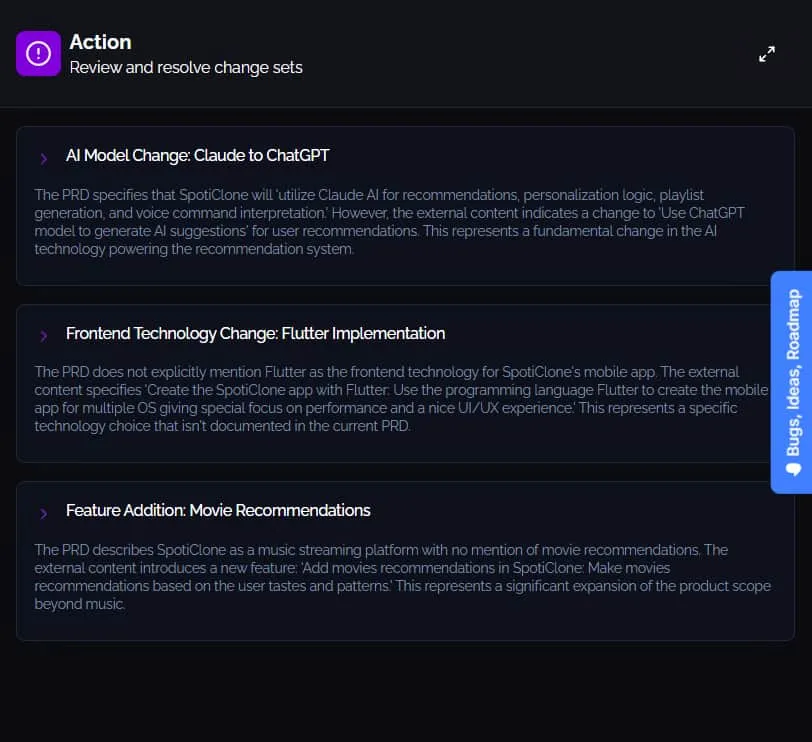
Scope Changes is one of the core features of Storydough. Every time your project context is updated—whether through an initial load, a document upload, or an event from an external integration—the app analyzes the incoming data against your existing project context.
If discrepancies are detected between the incoming data and the existing context, Storydough identifies that a scope change is needed. A scope change is essentially a list of discrepancies that require your attention.
For each scope change, Storydough provides you with different options or paths to resolve the discrepancy. Each path comes with its own set of actions to help you address the issue. Currently, these actions are read-only—agentic execution to automatically apply changes is still a work in progress.
Chat Interaction
Storydough includes a context-aware AI agent that allows you to interact naturally with your project PRD. Simply ask questions, request clarifications, or explore your product requirements through a conversational interface.
The chat agent has full awareness of your project context, including all uploaded documents, integrated data, and existing PRD content. This enables you to get instant answers about your product decisions, understand the reasoning behind requirements, and navigate complex documentation effortlessly.
Core Concepts
Projects
Projects are the top-level containers in Storydough. Each project represents a product or initiative and contains its own PRD, context sources, integrations, and scope changes. Projects help you organize your work and maintain separate contexts for different products.
Context
Context is the foundation of your PRD. It includes all the information Storydough uses to understand your product—uploaded documents, data from external integrations, and the knowledge extracted from these sources.
Context is automatically processed and analyzed by AI to identify key concepts, requirements, and relationships that inform your product decisions.
Integrations
Integrations connect Storydough to your existing tools like Jira, Notion, and Confluence via OAuth. They enable automatic data syncing and keep your project context aligned with your team's work across platforms.
Scope Changes
Scope Changes are detected discrepancies between incoming data and your existing project context. They highlight conflicts or updates that need your attention and provide actionable paths to resolve them.
Chat Agent
The Chat Agent (TARS) is a context-aware AI assistant that lets you interact naturally with your PRD. It understands your entire project context and can answer questions, provide insights, and help you navigate your product requirements.